By the FutureWarns Editorial Team · Reviewed for accuracy · Updated September 2026
Quick Answer
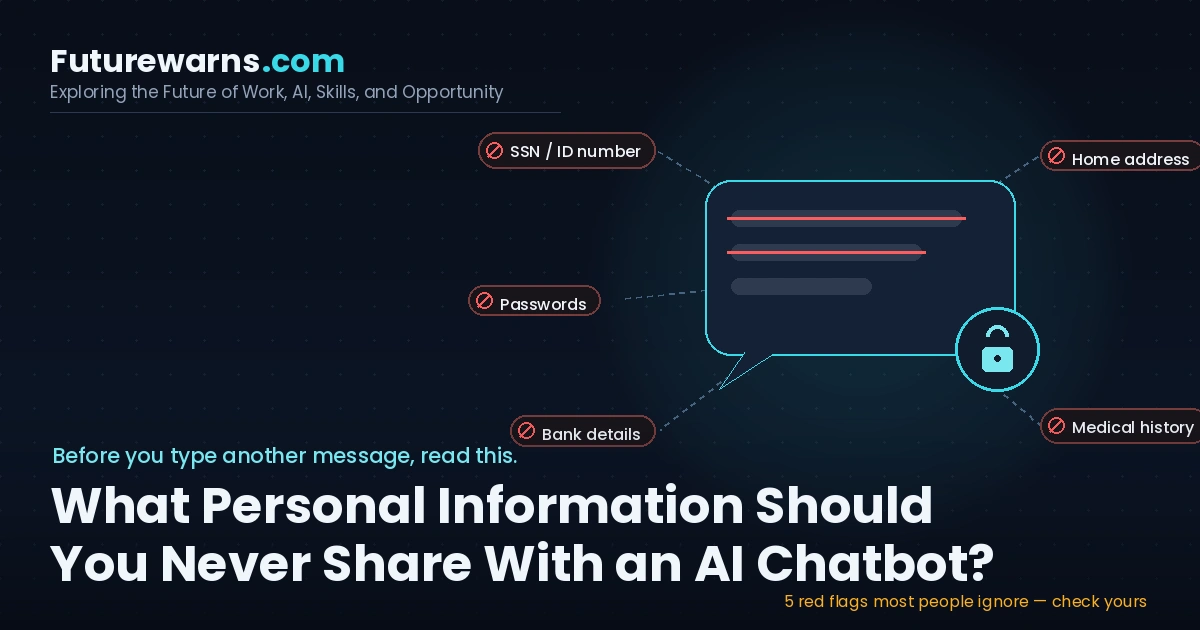
Never share your government ID numbers, passwords, bank/card details, medical diagnoses, exact home address, workplace confidential data, biometric data (face/fingerprint scans), children’s information, or anything you wouldn’t want leaked in a public data breach with an AI chatbot like ChatGPT, Gemini, Claude, or Copilot. Most chatbots store your conversations, may use them for training unless you opt out, and can be accessed by employees, subpoenaed by courts, or exposed in a data breach — just like any other online service. Treat every chat window like a postcard, not a locked diary.
Introduction: Why This Matters More Than You Think
AI chatbots have quietly become one of the most personal apps on our phones. People ask them about breakups, tax problems, symptoms they’re too embarrassed to Google, and even what to say in a difficult conversation with their boss. It feels private. It feels like talking to a very smart, very patient friend who never judges you.
But here’s the uncomfortable truth: a chatbot is not a friend, a doctor, a lawyer, or a diary. It’s a product built by a company, running on servers you don’t control, governed by a privacy policy most people never read. And in 2026, more people than ever are treating it like a confidant.
A recent survey by DuckDuckGo of nearly 2,000 U.S. adults found that 32% of AI users have told a chatbot something they’ve never told a friend, family member, or medical professional — and that number jumps to 56% among self-described AI enthusiasts. Even more striking, parents confide in AI almost twice as often as non-parents: 43% of parents have shared something with a chatbot they’ve never told anyone else in their life.[1]
At the same time, the same survey found that 53% of people didn’t know or weren’t sure that most chatbots use their conversations for training by default, and only 25% knew that AI chat logs can be subpoenaed by law enforcement.[1] That gap — between how much we share and how little we understand about where it goes — is exactly what this guide is here to close.
We’ll walk through exactly what to avoid sharing, why it’s risky, real cases where things went wrong, and a practical, step-by-step system to use AI chatbots safely without giving up the convenience that makes them useful in the first place.
Table of Contents
- How AI Chatbots Actually Handle Your Data
- The Never-Share List: 12 Types of Information to Keep Away From AI
- Why This Is Riskier Than People Realize
- Real Case Studies and Data Breaches
- Flowchart: Should You Share This With a Chatbot?
- Comparison Table: How Major AI Chatbots Handle Your Data
- Step-by-Step: How to Use AI Chatbots Safely
- Tools and Settings That Protect Your Privacy
- Common Mistakes People Make
- Special Advice for Parents, Professionals, and Businesses
- The Future: Regulation, Memory Features, and AI Agents
- Key Takeaways
- FAQ
1. How AI Chatbots Actually Handle Your Data
Before we list what not to share, it helps to understand what actually happens after you hit “send.”
Most consumer AI chatbots work like this:
- Your message is sent to the company’s servers (not processed only on your device).
- It’s stored in logs, often for months, sometimes indefinitely, depending on the plan and settings.
- Unless you’ve turned off “improve the model” or opted into a business/enterprise plan with different terms, your chats may be reviewed by human trainers or used to fine-tune future versions of the AI.
- Like any company holding data, the chatbot provider can be compelled by a court order, subpoena, or law enforcement request to hand over your conversation history.
- Like any online service, the company can suffer a data breach.
None of this makes AI chatbots uniquely evil — it’s the same basic reality as email, cloud storage, or social media. The difference is that people don’t yet have the same instinct of caution with a chatbot that they’ve built up over 20 years with email and social media. A chatbot feels conversational, so we let our guard down.
What “Private” Really Means Here
When a company says your chat is “private,” it usually means private from other users — not private from the company itself, its employees, its subcontractors, or legal authorities. That’s a critical distinction most people miss.
2. The Never-Share List: 12 Types of Information to Keep Away From AI Chatbots
Think of this as your personal red-line list. If you wouldn’t post it on a public forum under your real name, don’t paste it into a chatbot either.
1. Government ID Numbers
Social Security Numbers, Aadhaar numbers, passport numbers, driver’s license numbers, national insurance numbers. These are the building blocks of identity theft. Never paste a scanned ID or type these numbers “just to get help filling a form.”
2. Passwords and Login Credentials
It sounds obvious, but people do this constantly — pasting an entire error message that includes a password, or asking a chatbot to “remember my Netflix login.” A chatbot is not a password manager. Use an actual password manager like Bitwarden or 1Password instead.
3. Banking and Financial Details
Full card numbers, CVV codes, bank account numbers, IFSC/routing numbers, UPI PINs, or investment account credentials. You can ask an AI to explain how compound interest works — you should never ask it to “check if this is a good rate” while pasting your actual account statement with numbers visible.
4. Medical Records and Diagnoses Tied to Your Identity
Asking “what are the symptoms of high blood pressure” is fine. Pasting your actual lab report with your name, date of birth, and doctor’s letterhead is not. AI chatbots are not covered under health privacy laws like HIPAA (in the U.S.) the way your doctor’s office is, so that data doesn’t get the same legal protection.
5. Your Exact Home Address and Daily Routine
Especially in combination — “I live at [address] and I’m usually alone from 9-5” is a stalking and burglary risk if that data is ever exposed or misused. It’s fine to ask general safety questions without attaching your real address.
6. Biometric Data
Facial photos for “AI analysis,” fingerprint scans, voice samples used for cloning, or health-tracking biometric exports (heart rate, sleep, fertility data tied to your identity). Biometric data can’t be changed like a password once it’s compromised.
7. Children’s Personal Information
Full names, school names, photos, schedules, or health details of your kids. Several regulators, including the FTC in the United States, have specifically flagged children’s data as needing extra protection, and most chatbot terms of service explicitly say the product isn’t intended for children under 13 (sometimes 18) without parental consent.
8. Confidential Work Information
Client contracts, unreleased product plans, source code with proprietary logic, internal financial numbers, or anything covered by an NDA. Multiple companies, including Samsung in a well-documented 2023 incident, restricted employee use of public chatbots after staff accidentally pasted confidential source code and meeting notes into ChatGPT.
9. Legal Case Details With Identifying Information
Asking general legal questions is fine. Pasting an actual case number, real names of parties, or your lawyer’s confidential strategy notes is not — this can affect attorney-client privilege and has already caused real embarrassment in court, as we’ll see in the case studies below.
10. Immigration and Citizenship Status Details
Visa numbers, asylum case details, or specific status information, especially in politically sensitive contexts, should stay off consumer AI platforms.
11. Explicit or Intimate Content Involving Yourself or Others
Beyond the platform policy violations this usually causes, sharing intimate photos, sexual content, or private relationship details tied to real identities creates a permanent, uncontrollable digital record.
12. One-of-a-Kind Secrets You’ve Never Told Anyone
This is the one people don’t think about. Confessions, trauma details, affair information, suicidal thoughts framed as “hypothetical,” or family secrets. It’s genuinely healthy to process emotions — but do it with a licensed therapist or trusted person bound by confidentiality, not a product whose logs could resurface in a breach, an audit, or a subpoena years later.
3. Why This Is Riskier Than People Realize
A few forces make this more urgent than it looks on the surface:
3.1 The “Judgment-Free Zone” Effect
Researchers studying AI usage note that chatbots invite longer, more personal input than a typical web search. A search query might be three words. An AI conversation can be three paragraphs of your actual thought process, tone, and emotional state — a much richer, more identifying data trail.[1]
3.2 People Overestimate Privacy
A European study of teenagers found that 30% believe communication with AI chatbots is private, and only a minority regularly check whether AI answers are even correct.[2] This mismatch between perceived privacy and actual data handling is exactly where harm happens.
3.3 Training Data Reuse
Several major AI companies — across the industry — have used chat data to further train their models unless users specifically opt out or use an enterprise-grade plan with different data terms. Once information becomes training data, you generally cannot get it “deleted” from a trained model the way you can delete a file.
3.4 Data Breaches Happen to Everyone
No company is immune. AI companies, like any tech company, have faced bugs and vulnerabilities that exposed user chat titles, prompts, or account information. The more sensitive data sitting in your chat history, the bigger the blast radius if a breach ever happens.
3.5 Legal Discovery and Subpoenas
Chat logs can become evidence. Courts have already required AI companies to preserve and, in some cases, produce user conversation data as part of litigation. If you wouldn’t want a conversation read aloud in a courtroom, don’t have it with a chatbot.
4. Real Case Studies and Examples
Case Study 1: The Corporate Leak (Samsung, 2023)
Samsung engineers reportedly pasted confidential semiconductor source code and internal meeting recordings into ChatGPT to get help debugging and summarizing — without realizing that data could leave the company’s control. Samsung subsequently restricted employee use of public generative AI tools on company devices. The lesson: even highly technical, security-conscious employees can forget that a chatbot is an external, third-party service.
Case Study 2: The Lawyer and the Fake Citations (New York, 2023)
A practicing attorney used ChatGPT to research case law for a legal brief and submitted it to a federal court — without checking that several of the cited cases were completely fabricated by the AI. The lawyer was sanctioned. While this is more about over-reliance than data leakage, it shows the deeper trust problem: people extend the same blind trust to AI’s outputs that they extend to sharing their own private data with it.
Case Study 3: Emotional Dependency and Vulnerable Users
Reporting has documented tragic cases where individuals in emotional distress formed deep attachments to companion-style chatbots, sharing their most private mental health struggles, sometimes with the AI reinforcing harmful thought patterns rather than redirecting them to real crisis support. This is a sobering reminder that emotional and mental health information deserves more caution with AI than almost any other category, and that professional human support should never be replaced by a chatbot in a crisis.
Case Study 4: The “Harmless” Resume Upload
A jobseeker uploads their full resume — full name, home address, phone number, and previous employers — to a chatbot to “improve the wording,” on a free-tier account with no enterprise data agreement. It feels harmless. But that document now sits on a third-party server indefinitely, outside the protections of the job platforms it was originally meant for.
5. Flowchart: Should You Share This With a Chatbot?
Use this simple decision flow before you type or paste anything sensitive into an AI chatbot.
6. Comparison Table: How Major AI Chatbots Handle Your Data
Data practices change often, so always check each provider’s current privacy policy before relying on this table — but here’s the general pattern as of 2026, based on publicly published privacy documentation.
| Chatbot | Trains on your chats by default? | Can you opt out / delete? | Best for sensitive topics? |
|---|---|---|---|
| ChatGPT (free/Plus) | Yes, by default on consumer plans | Yes — via “Improve the model” toggle and chat deletion settings | Not recommended without disabling training |
| Google Gemini | Yes, unless Gemini Apps Activity is turned off | Yes — via Activity controls | Not recommended for medical/financial data |
| Anthropic Claude (consumer) | Varies by settings and plan; check current policy | Yes — via privacy settings | Still not recommended for legally sensitive data |
| Microsoft Copilot | Enterprise versions typically don’t train on business data | Depends on personal vs. work account | Enterprise tier safer for work use |
| Enterprise/Business tiers (any provider) | Usually excluded from training under contract | Governed by data processing agreement | Best option for confidential business data |
7. Step-by-Step: How to Use AI Chatbots Safely
You don’t need to quit using AI chatbots. You just need a simple system. Here’s one you can start using today.
Step 1: Turn Off Chat Training in Settings
Go into your chatbot’s privacy or data controls and disable “use my content to train models” wherever that option exists. This is usually found under Settings → Data Controls or Settings → Privacy.
Step 2: Use Temporary or Incognito Chat Modes
Several chatbots now offer a temporary chat mode that doesn’t save history or use it for training. Use this for any sensitive or exploratory question.
Step 3: Anonymize Before You Ask
Replace real names, exact numbers, and addresses with placeholders. Instead of “My SSN is 123-45-6789, is this format correct?” ask “Is XXX-XX-XXXX the correct format for a U.S. Social Security Number?”
Step 4: Never Upload Real Documents With Live Data
If you need help reformatting a resume or letter, redact or replace the sensitive fields (address, phone number, ID numbers) before uploading.
Step 5: Separate Work and Personal AI Use
Use your company’s approved enterprise AI tool for anything work-related, and a personal account only for personal, non-sensitive tasks.
Step 6: Review and Delete Your Chat History Regularly
Most platforms let you delete individual conversations or your entire history. Make this a monthly habit, like clearing your browser cache.
Step 7: Keep Emotional and Medical Support Human
Use AI to understand general concepts about mental health or symptoms, but keep your actual personal disclosures for a licensed therapist, doctor, or trusted person.
8. Tools and Settings That Help Protect Your Privacy
| Tool / Setting | What it does |
|---|---|
| Chat history controls (built into each chatbot) | Lets you disable training use and auto-delete old chats |
| Temporary/incognito chat mode | Runs a session without saving it to your history |
| Password managers (Bitwarden, 1Password) | Store credentials so you never need to type them into a chatbot |
| Text redaction tools (e.g., built-in PDF redaction, blackout tools) | Remove sensitive fields from documents before uploading |
| Enterprise/Business AI accounts | Different, usually stricter, data handling contract for work use |
| Browser privacy extensions | Can flag or block accidental data leaks in some workflows |
9. Common Mistakes People Make
- Pasting an entire error log that includes API keys or passwords
- Uploading a scanned ID “just to translate the text on it”
- Asking a chatbot to “remember” ongoing personal details across sessions without checking memory settings
- Sharing a child’s full name, school, and schedule while asking for parenting advice
- Treating a chatbot’s emotional support as equivalent to therapy
- Assuming a “delete chat” button instantly removes data from backups or training pipelines
- Using the same free personal chatbot account for confidential client work
10. Special Advice for Parents, Professionals, and Businesses
For Parents
Talk to your kids about the fact that chatbots are not private diaries. A European survey found that 28% of surveyed teens admitted to sharing intimate content with AI, and many overestimate how private these conversations are.[2] Treat this the same way you’d approach a conversation about social media safety.
For Professionals (Lawyers, Doctors, Therapists, HR)
Client and patient information almost always falls under confidentiality obligations and, in many countries, specific laws (like HIPAA in the U.S. or GDPR in the EU). Never paste identifiable client, patient, or employee data into a consumer-grade chatbot.
For Businesses
Create a written AI usage policy. Define what data categories are absolutely off-limits (source code, financials, client contracts, employee records) and provide an approved, contract-backed enterprise tool as the sanctioned alternative — so employees aren’t tempted to use free tools for sensitive tasks.
11. The Future: Regulation, Memory Features, and AI Agents
Looking ahead, three trends will shape how this issue evolves:
- Persistent memory: Chatbots are increasingly adding “memory” features that remember details across conversations. This is convenient, but it also means sensitive information you share once can resurface later — making it even more important to review what a chatbot “remembers” about you periodically.
- Stronger regulation: Frameworks like the EU’s GDPR and AI Act, along with evolving U.S. state privacy laws, are increasingly being applied to AI chatbot data practices. Expect clearer consent requirements and stricter rules on training data use in the coming years.
- AI agents with real-world access: As chatbots evolve into “agents” that can browse the web, manage your calendar, or make purchases on your behalf, the stakes of oversharing rise further, since these systems may need to handle real credentials to act — making tools with strong, auditable permission controls even more important.
Our honest take: convenience and privacy will keep pulling in opposite directions. The winning strategy for individuals isn’t to avoid AI — it’s to build the same healthy skepticism we eventually built around email attachments and social media oversharing.
Key Takeaways
- Treat every AI chatbot conversation like a postcard, not a private diary — assume it could be read by someone else.
- Never share government IDs, passwords, financial details, medical records with your identity attached, or children’s personal information.
- About 1 in 3 AI users already share secrets with chatbots they wouldn’t tell another human — and most don’t realize their chats may train the AI or be handed over in legal cases.
- Use enterprise/business AI accounts for work data, and turn off training and use temporary chat modes for anything personal.
- Keep real emotional and medical support human — a licensed professional, not a chatbot, should be your first call in a crisis.
- Build a simple two-second habit: pause before sending, and anonymize sensitive details first.
Frequently Asked Questions
Is it safe to talk to ChatGPT about my feelings?
It’s generally fine to discuss feelings in general terms, but avoid sharing identifying personal details, and don’t rely on it as a replacement for a licensed therapist, especially during a mental health crisis.
Can AI chatbot conversations be used against me in court?
Potentially, yes. Chat logs can be subject to legal discovery or subpoenas depending on the jurisdiction and circumstances, just like emails or text messages.
Does deleting a chat actually remove my data?
Deleting a chat usually removes it from your visible history, but data may persist in backups for a defined retention period, and if it was already used to train a model before deletion, it generally cannot be extracted from that trained model afterward. Check each provider’s current privacy policy for specifics.
Are paid AI chatbot plans more private than free ones?
Often, yes, especially business/enterprise tiers, which frequently come with contractual guarantees excluding your data from model training. Always verify the specific plan’s data terms rather than assuming.
Is it okay to upload my resume to an AI chatbot?
Yes, but redact or remove your home address, phone number, and ID numbers first if you’re using a free consumer-tier account.
Should I let my child use AI chatbots?
Most major chatbots require a minimum age (commonly 13, with parental consent needed in many cases up to 18) under their terms of service. If your child does use one, have an open conversation about what not to share, similar to social media safety talks.
Related Articles on FutureWarns
Sources and Further Reading
- DuckDuckGo Research, “The AI Privacy Problem” survey of ~2,000 U.S. adults, 2026 — spreadprivacy.com
- Better Internet for Kids / Saferinternet.at, “AI Chatbots as Everyday Companions for Young People,” 2026 study — better-internet-for-kids.europa.eu
- Federal Trade Commission (FTC) guidance on children’s online privacy (COPPA)
- U.S. Department of Health & Human Services — HIPAA Privacy Rule overview
- European Commission — General Data Protection Regulation (GDPR) official text
- Pew Research Center, “Americans and AI 2026: Chatbots, Smart Devices and Views on Impact”
Want to lock down your AI privacy settings in the next 5 minutes? Read our guide on cybersecurity →